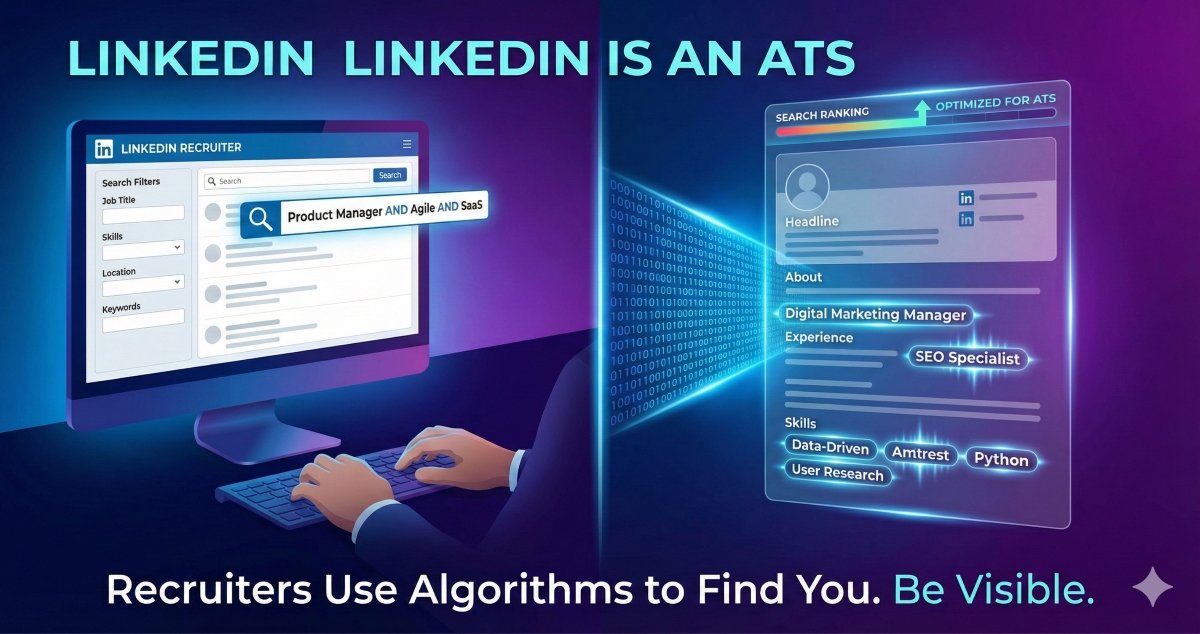
You’ve optimized your resume for the ATS. But did you know that recruiters use ATS systems to scan LinkedIn profiles too?
When recruiters search for candidates on LinkedIn, they’re using the same keyword-matching algorithms that filter resumes. If your profile isn’t optimized, you’re invisible—even if you’re the perfect candidate.
Key Takeaways
- LinkedIn = Searchable Resume: Recruiters use Boolean searches and filters just like ATS systems
- Keywords Everywhere: Your headline, summary, and experience sections must include target keywords
- Skills Section Matters: The top 3 skills get weighted heavily in search algorithms
Why LinkedIn Optimization Matters
Over 87% of recruiters use LinkedIn to find candidates. But here’s the catch: they’re not scrolling through profiles. They’re using LinkedIn Recruiter, a premium tool that works exactly like an ATS.
When a recruiter searches for “Product Manager with Agile experience,” LinkedIn’s algorithm scans millions of profiles and ranks them by keyword relevance. If those exact terms aren’t in your profile, you won’t appear in the results.
The LinkedIn ATS Algorithm: What Gets You Ranked
LinkedIn’s search algorithm considers:
- Keyword Density – How often relevant terms appear
- Keyword Placement – Headline and current role carry more weight
- Profile Completeness – Profiles with all sections filled rank higher
- Engagement Signals – Activity, connections, and endorsements boost visibility
- Recency – Recently updated profiles get priority
How to Optimize Each Section
1. Headline (Most Important)
Your headline is the #1 ranking factor. Don’t waste it on generic titles.
❌ Bad: “Marketing Professional | Seeking New Opportunities”
✅ Good: “Digital Marketing Manager | SEO Specialist | Content Strategy | B2B SaaS”
Pro Tip: Include 3-4 keywords recruiters actually search for. Check job postings in your field to find common terms.
🚀 Bonus Tool: Social Capital Simulator
See how your new headline looks in the search results before you commit.
👁️ Social Capital Simulator
2. About Section (Summary)
This is your keyword goldmine. Naturally incorporate:
- Job titles you’re targeting
- Technical skills
- Industry-specific terms
- Certifications
Example opening: “As a Product Manager with 5+ years in SaaS product development, I specialize in Agile methodologies, user research, and data-driven decision making…”
3. Experience Section
For each role, include:
- Exact job title (if different from your actual title, add it in parentheses)
- Keywords from target job descriptions
- Measurable achievements with numbers
- Tools and technologies used
📚 Related Reading
Just like your resume, use the exact phrasing from job postings to maximize ATS compatibility.
4. Skills Section (Critical)
Add 50 skills (LinkedIn’s maximum). Prioritize:
- Top 3 skills appear on your profile and get weighted heavily
- Pin your most important skills to the top
- Get endorsements for target skills (ask colleagues)
5. Featured Section
Showcase:
- Portfolio work
- Published articles
- Case studies
- Certifications
This doesn’t directly impact ATS ranking but impresses recruiters who click through.
Advanced LinkedIn SEO Tactics
Use Boolean-Friendly Language
Recruiters search using Boolean operators (AND, OR, NOT). Make it easy:
- List skills separately: “Python, JavaScript, React” (not “Python/JavaScript/React”)
- Include acronyms AND full terms: “Search Engine Optimization (SEO)”
- Add variations: “Project Manager” and “Program Manager”
Optimize Your URL
Change your LinkedIn URL from:
linkedin.com/in/john-smith-a1b2c3d4
To:
linkedin.com/in/johnsmith-productmanager
This helps with Google search and looks more professional.
Stay Active
LinkedIn rewards active users. Post or comment 2-3 times per week to signal you’re an engaged professional.
Common LinkedIn ATS Mistakes
- Vague Headlines – “Experienced Professional” tells recruiters nothing
- Missing Skills – Leaving the skills section empty or incomplete
- Outdated Profile – Last updated 2+ years ago signals you’re not actively looking
- No Keywords – Writing in first person without industry terms
- Incomplete Profile – Missing sections hurt your search ranking
Testing Your LinkedIn Optimization
The Recruiter Search Test:
- Open an incognito browser
- Search LinkedIn for your target job title + location
- See if your profile appears in the first 2 pages
- If not, you need more keyword optimization
The Keyword Density Check:
- Copy your entire LinkedIn profile text
- Paste into a word cloud generator
- Your target keywords should appear prominently
- If they don’t, add them naturally to your sections
🎯 Next Steps
Once your LinkedIn is optimized, make sure your resume follows the same principles. Learn how to optimize your resume for ATS systems and avoid common formatting mistakes that cause auto-rejection.
Frequently Asked Questions
How often should I update my LinkedIn profile?
Update your profile at least quarterly, even if you’re not job searching. Add new skills, update your summary, and refresh your headline. LinkedIn’s algorithm favors recently updated profiles.
Should I turn on “Open to Work”?
Yes, but use the “Recruiters only” setting if you’re currently employed. This signals to recruiters that you’re open while keeping it private from your current employer.
How many connections do I need?
500+ connections is the sweet spot. It shows you’re well-networked and makes your profile appear more credible to recruiters.
Can I copy keywords directly from job postings?
Yes, but integrate them naturally. Don’t just list keywords—use them in context to describe your actual experience and skills.
Does LinkedIn Premium help with ATS visibility?
Not directly. Premium gives you insights into who viewed your profile, but it doesn’t boost your search ranking. Focus on keyword optimization instead.