
Key Takeaways
- Aesthetics vs. Mechanics: Robots don’t care about your design; they care about text structure.
- The Column Trap: Dual columns often scramble reading order, mixing work history with contact info.
- The Fix: Prioritize “Format Hygiene” over visual flair to survive the ATS scan.
You spent three hours in Canva. The fonts are sleek, the layout is modern, and the colors pop. It looks fantastic. You export to PDF, hit submit, and wait.
And wait.
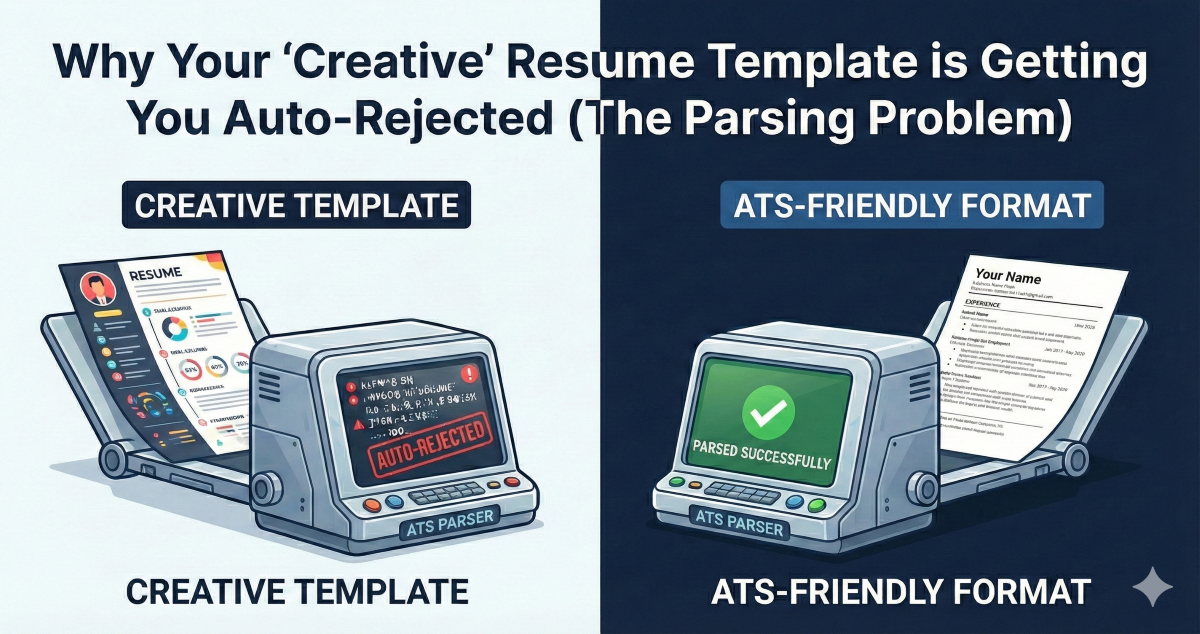
Silence isn’t always a lack of qualification. Often, it’s a failure of translation. The Applicant Tracking System (ATS) doesn’t “see” your document the way a human does. It reads raw text. And your beautiful, creative template? It often renders as gibberish.
The Parsing Problem Explained
Before an ATS can rank your resume, it must first “parse” it. Parsing is the process of converting your document into structured data. The system extracts your name, contact info, work history, skills, and education, then compares that data against the job requirements.
The problem is that ATS parsers are notoriously fragile. They were designed for simple, linear documents. When you introduce design elements like columns, text boxes, headers, footers, or embedded graphics, the parser often fails to read the content in the correct order—or at all.
Common Template Traps
- Two-Column Layouts: The parser reads left-to-right, top-to-bottom. It may merge your contact information with your first job description, creating nonsensical data.
- Text Boxes: Content inside text boxes is often skipped entirely by older parsers.
- Graphics and Icons: Skill bars, pie charts, and decorative icons are invisible to text extraction algorithms.
- Headers and Footers: Important information placed in document headers (like your name or page number) may be ignored.
The Format Hygiene Checklist
- Use a single column: Keep all content in a linear, top-to-bottom flow.
- Avoid text boxes and tables: Use standard paragraph formatting instead.
- Skip the graphics: No icons, no skill bars, no profile photos.
- Keep it flat: No layers, no floating boxes.
- Stick to the margins: Use standard page margins rather than columns to separate data.
- Test it: Copy all the text in your PDF and paste it into a Notepad file. If the text is scrambled or out of order, that is exactly what the ATS sees.
🚀 Bonus Tool: Keyword Gap Analyst
Test if your new layout is readable. Paste your resume text here to see what the bot actually sees.
⚡ Keyword Gap Analyst
Tools like The Resume Reformer are built specifically to scan for these structural weaknesses. Don’t let a layout choice cost you a career move.